claude-code-tips
Claude Code Scripts
context-bar.sh
A two-line status line script for Claude Code that shows model, directory, git branch, uncommitted file count, sync status with origin, context usage, and your last message.
Example output:
Opus 4.5 | 📁claude-code-tips | 🔀main (scripts/context-bar.sh uncommitted, synced 12m ago) | ██░░░░░░░░ 18% of 200k tokens
💬 This is good. I don't think we need to change the documentation as long as we don't say that the default color is orange el...
Installation
- Copy the script to your Claude scripts directory:
mkdir -p ~/.claude/scripts cp context-bar.sh ~/.claude/scripts/ chmod +x ~/.claude/scripts/context-bar.sh - Update your
~/.claude/settings.json:{ "statusLine": { "type": "command", "command": "~/.claude/scripts/context-bar.sh" } }
That’s it!
Color Themes
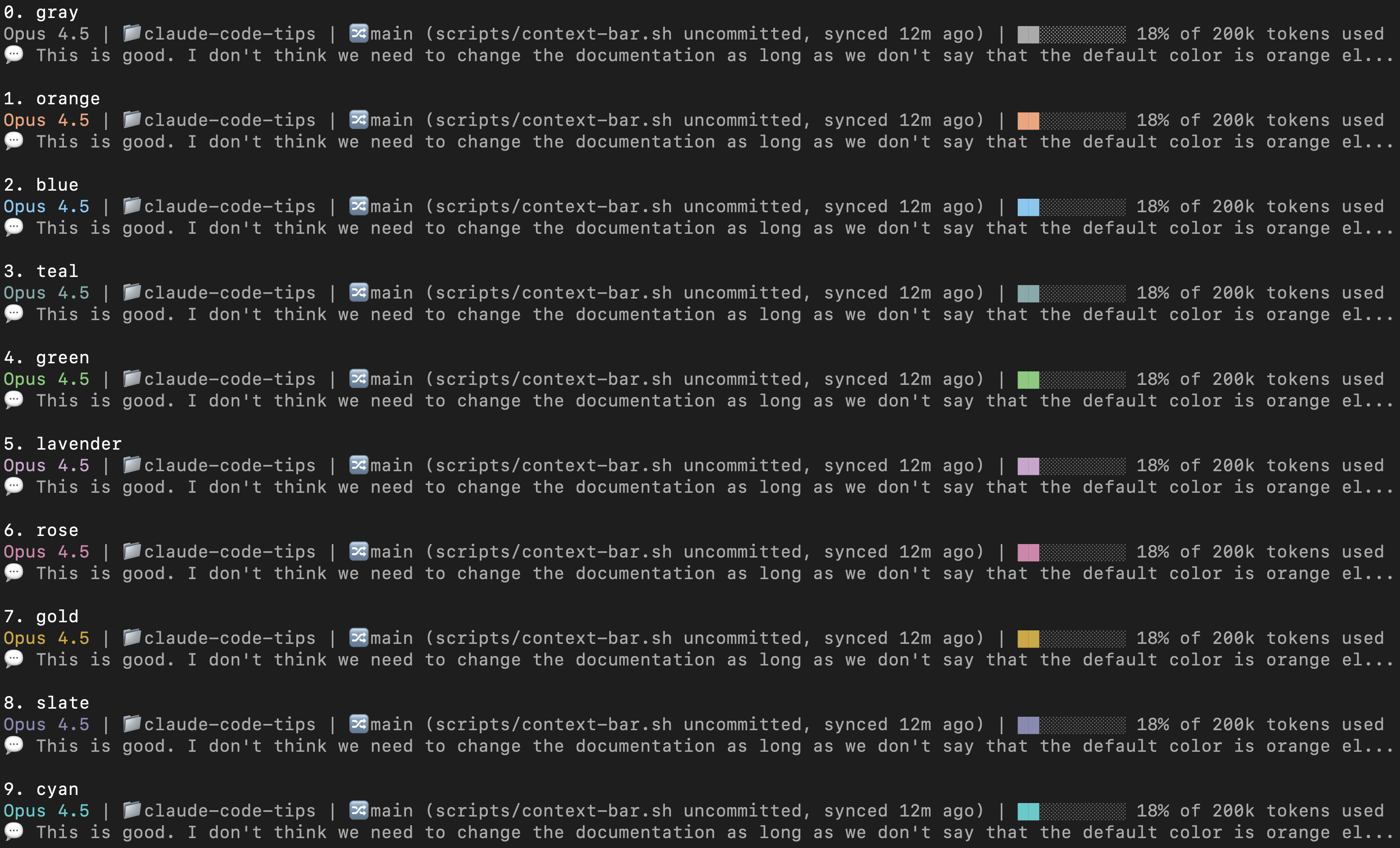
The script supports optional color themes for the model name and progress bar. Edit the COLOR variable at the top of the script:
# Color theme: gray, orange, blue, teal, green, lavender, rose, gold, slate, cyan
COLOR="orange"
Preview all options by running bash scripts/color-preview.sh:
Requirements
jq(for JSON parsing)bashgit(optional, for branch display)- Claude Code 2.0.65+ (verified to work; older versions may not have the required JSON fields - check earlier commits for older versions)
How it works
Claude Code passes session metadata to status line commands via stdin as JSON, including:
model.display_name- The model namecwd- Current working directorycontext_window.total_input_tokens- Total input tokens usedcontext_window.total_output_tokens- Total output tokens usedcontext_window.context_window_size- Maximum context window sizetranscript_path- Path to the session transcript JSONL file
The script uses these JSON fields to calculate context usage (input + output tokens), showing percentage of the context window. Use /context for precise token breakdown.